

Documentation Index
Fetch the complete documentation index at: https://developer.prove.com/llms.txt
Use this file to discover all available pages before exploring further.
Prerequisites
- Sandbox access — Prove Sandbox credentials and environment configuration from the Prove Portal.
- Access token — Obtain a bearer token using Prove OAuth (Authentication) for
POST /v3/unify,POST /v3/unify-status, andPOST /v3/unify-bind. - Implementation — Complete client and server integration using Unified Authentication implementation guide.
Test users list
Short-term test users
Use this test user when performing initial testing with cURL or Postman. This test user skips the client-side SDK authentication to walk you through the sequence of API calls.- North America
- International
| Phone Number | First Name | Last Name |
|---|---|---|
| 2001004018 | Barbaraanne | Canet |
| Phone Number | First Name | Last Name |
|---|---|---|
| +2001004029 | Janos | Martina |
Unified Auth test users
Follow the Testing Steps for expected behavior per step. These users allow you to test “Prove Possession” and “Customer-Supplied Possession with Force Bind” flows.- North America
- International
| Phone Number | First Name | Last Name |
|---|---|---|
| 2001004014 | Lorant | Nerger |
| 2001004015 | Laney | Dyball |
| Phone Number | First Name | Last Name |
|---|---|---|
| +2001004025 | Bertie | Fremont |
| +2001004026 | Bonnie | Sidon |
Mobile Auth test users
Follow the Testing Steps for expected behavior per step. These users allow you to test “Prove Possession” and “Prove Passive Authentication with Customer-Supplied Possession Fallback” flows.- North America
- International
| Phone Number | First Name | Last Name |
|---|---|---|
| 2001004016 | Inge | Galier |
| 2001004017 | Jesse | Mashro |
| 2001004041 | Penny | Jowers |
| Phone Number | First Name | Last Name |
|---|---|---|
| +2001004027 | Allissa | Zoren |
| +2001004028 | Wendy | Strover |
| +2001004043 | Amii | Porritt |
Testing steps
Now that you’ve done client-side, server-side, and CX implementation, test using the test users.- Lorant
- Laney
- Inge
- Jesse
- Penny
- Bertie
- Bonnie
- Allissa
- Wendy
- Amii
- Fail
- Prove Possession - Mobile
- Customer-Supplied Possession with Force Bind
- Prove Possession - Desktop
success=true in the /unify-status response.Prompt Customer
Initiate Start Request
success=pending.Send Auth Token to the Front End
authToken to the front end. The front end runs OTP handling. Enter 1234 to simulate a successful OTP.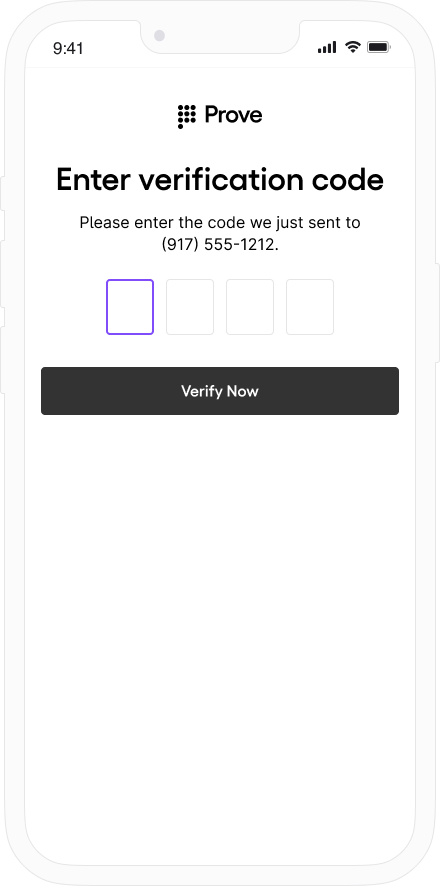
Verify Mobile Number
POST /v3/unify-status with the correlation ID to validate the phone number.
Expect success=true, proveId, deviceId, and phoneNumber in Sandbox. See POST /v3/unify-status for the full response.You have a successful flow and a Prove key for this phone number. Sending this user through again bypasses the possession check due to the Prove key. Send the user on through your authenticated flow.success=true in the /unify-bind response.Prompt Customer
Initiate Start Request
success=pending.Verify Mobile Number
POST /v3/unify-status with the correlation ID to validate the phone number.
Expect success=possession_required (Prove is not performing the possession check). See POST /v3/unify-status.Perform Your Own Possession Check
Bind Prove Key
POST /v3/unify-bind with the correlation ID.
Expect success=true, proveId, and phoneNumber in Sandbox. See POST /v3/unify-bind for the full response.You have a successful flow and a Prove key for this phone number. Sending this user through again bypasses the possession check due to the Prove key. Send the user on through your authenticated flow.success=true in the /unify-status response.Prompt Customer
Initiate Start Request
success=pending.Send Auth Token to the Front End
authToken to the front end. The front end runs Instant Link handling.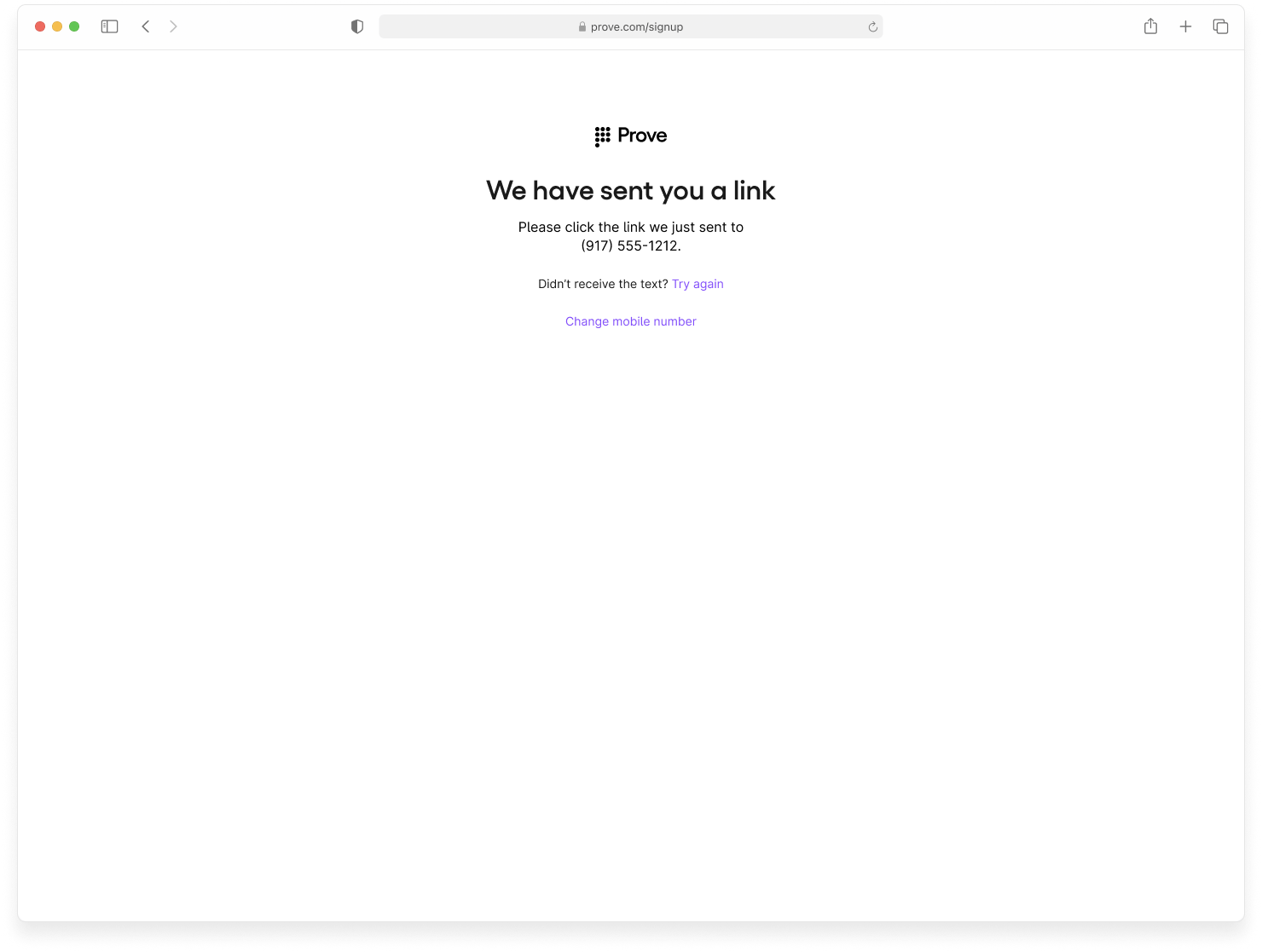
Verify Mobile Number
POST /v3/unify-status with the correlation ID to validate the phone number.
Expect success=true, proveId, and phoneNumber in Sandbox (no Prove Key on desktop). See POST /v3/unify-status.The system completes the flow successfully but omits a Prove Key because it only applies to mobile devices. Send the user on through your authenticated flow.- Prove Possession - Mobile
- Customer-Supplied Possession with Force Bind
- Prove Possession - Desktop
success=false in the /unify-status response.Prompt Customer
Initiate Start Request
success=pending.Send Auth Token to the Front End
authToken to the front end. The front end runs OTP handling. Enter 1111 to simulate an unsuccessful OTP.Verify Mobile Number
POST /v3/unify-status with the correlation ID to validate the phone number.
Expect success=false and phoneNumber. See POST /v3/unify-status.The test user failed. Send the user through your exception process.success=possession_required on /unify-status. You then proceed to run your possession. They fail out of the flow.Prompt Customer
Initiate Start Request
success=pending.Verify Mobile Number
POST /v3/unify-status with the correlation ID to validate the phone number.
Expect success=possession_required (Prove is not performing the possession check). See POST /v3/unify-status.success=false in the /unify-status response.Prompt Customer
Initiate Start Request
success=pending.Send Auth Token to the Front End
authToken to the front end. The front end runs Instant Link handling.Verify Mobile Number
POST /v3/unify-status with the correlation ID to validate the phone number.
Expect success=false and phoneNumber. See POST /v3/unify-status.The test user failed. Send the user through your exception process.- Prove Possession - Mobile
- Prove Passive Authentication with Customer-Supplied Possession Fallback
- Prove Possession - Desktop
success=true in the /unify-status response.Prompt Customer
Initiate Start Request
success=pending.Send Auth Token to the Front End
authToken to the front end. The front end runs Mobile Auth.Verify Mobile Number
POST /v3/unify-status with the correlation ID to validate the phone number.
Expect success=true, proveId, deviceId, and phoneNumber from Mobile Auth in Sandbox. See POST /v3/unify-status for the full response.You have a successful flow and a Prove key tied to this phone number. Sending this user through again bypasses the possession check due to the Prove key. Send the user on through your authenticated flow.success=true in the /unify-status response.Prompt Customer
Initiate Start Request
success=pending.Send Auth Token to the Front End
authToken to the front end. The front end runs Mobile Auth.Verify Mobile Number
POST /v3/unify-status with the correlation ID to validate the phone number.
Expect success=true, proveId, deviceId, and phoneNumber from Mobile Auth in Sandbox. See POST /v3/unify-status for the full response.You have a successful flow and a Prove key tied to this phone number. Sending this user through again bypasses the possession check due to the Prove key. Send the user on through your authenticated flow.success=true in the /unify-status response.Prompt Customer
Initiate Start Request
success=pending.Send Auth Token to the Front End
authToken to the front end. The front end runs Instant Link handling.Verify Mobile Number
POST /v3/unify-status with the correlation ID to validate the phone number.
Expect success=true, proveId, and phoneNumber in Sandbox (no Prove Key on desktop). See POST /v3/unify-status.The system successfully runs the flow but excludes the Prove key because it only applies to mobile devices. Send the user on through your authenticated flow.- Prove Possession - Mobile
- Prove Passive Authentication with Customer-Supplied Possession Fallback
success=false in the /unify-status response.Prompt Customer
Initiate Start Request
success=pending.Send Auth Token to the Front End
authToken to the front end. The front end fails Mobile Auth and OTP without prompting.Verify Mobile Number
POST /v3/unify-status with the correlation ID to validate the phone number.
Expect success=false and phoneNumber. See POST /v3/unify-status.The test user failed. Send the user through your exception process.success=false in the /unify-status response.Prompt Customer
Initiate Start Request
success=pending.Send Auth Token to the Front End
authToken to the front end. The front end fails Mobile Auth and OTP without prompting.Verify Mobile Number
POST /v3/unify-status with the correlation ID to validate the phone number.
Expect success=false and phoneNumber. See POST /v3/unify-status.The test user failed. Send the user through your exception process.checkReputation=true in the /unify request, Penny fails the reputation check and returns success=false in the final response.- Prove Possession - Mobile
- Prove Passive Authentication with Customer-Supplied Possession Fallback
- Prove Possession - Desktop
success=true in the /unify-status response.Prompt Customer
Initiate Start Request
success=pending.Send Auth Token to the Front End
authToken to the front end. The front end attempts Mobile Auth, which fails. The SDK then falls back to OTP handling. Enter 1234 to simulate a successful OTP.Verify Mobile Number
POST /v3/unify-status with the correlation ID to validate the phone number.
Expect success=true, proveId, deviceId, and phoneNumber in Sandbox. See POST /v3/unify-status for the full response.You have a successful flow and a Prove key tied to this phone number. Sending this user through again bypasses the possession check due to the Prove key. Send the user on through your authenticated flow.success=true in the /unify-bind response.Prompt Customer
Initiate Start Request
success=pending.Send Auth Token to the Front End
authToken to the front end. The front end attempts Mobile Auth, which fails.Verify Mobile Number
success=possession_required reminding you to perform your own possession check.Perform Your Own Possession Check
Bind Prove Key
POST /v3/unify-bind with the correlation ID.
Expect success=true, proveId, and phoneNumber in Sandbox. See POST /v3/unify-bind for the full response.You have a successful flow and a Prove key tied to this phone number. Sending this user through again bypasses the possession check due to the Prove key. Send the user on through your authenticated flow.success=true in the /unify-status response.Prompt Customer
Initiate Start Request
success=pending.Send Auth Token to the Front End
authToken to the front end. The front end runs Instant Link handling.Verify Mobile Number
POST /v3/unify-status with the correlation ID to validate the phone number.
Expect success=true, proveId, and phoneNumber in Sandbox (no Prove Key on desktop). See POST /v3/unify-status.The system successfully runs the flow but excludes the Prove key because it only applies to mobile devices. Send the user on through your authenticated flow.- Prove Possession - Mobile
- Customer-Supplied Possession with Force Bind
- Prove Possession - Desktop
success=true in the /unify-status response.Prompt Customer
Initiate Start Request
success=pending.Send Auth Token to the Front End
authToken to the front end. The front end runs OTP handling. Enter 1234 to simulate a successful OTP.Verify Mobile Number
POST /v3/unify-status with the correlation ID to validate the phone number.
Expect success=true, proveId, deviceId, and phoneNumber in Sandbox. See POST /v3/unify-status for the full response.You have a successful flow and a Prove key tied to this phone number. Send the user on through your authenticated flow.success=true in the /unify-bind response.Prompt Customer
Initiate Start Request
success=pending.Verify Mobile Number
success=possession_required, reminding you to perform your own possession check.Perform Your Own Possession Check
Bind Prove Key
POST /v3/unify-bind with the correlation ID and phone number.
Expect success=true, proveId, and phoneNumber in Sandbox. See POST /v3/unify-bind for the full response.You have a successful flow and a Prove key tied to this phone number. Send the user on through your authenticated flow.success=true in the /unify-status response.Prompt Customer
Initiate Start Request
success=pending.Send Auth Token to the Front End
authToken to the front end. The front end runs Instant Link handling.Verify Mobile Number
POST /v3/unify-status with the correlation ID to validate the phone number.
Expect success=true, proveId, and phoneNumber in Sandbox (no Prove Key on desktop). See POST /v3/unify-status.The system successfully runs the flow but excludes the Prove key because it only applies to mobile devices. Send the user on through your authenticated flow.- Prove Possession - Mobile
- Customer-Supplied Possession with Force Bind
- Prove Possession - Desktop
success=false in the /unify-status response.Prompt Customer
Initiate Start Request
success=pending.Send Auth Token to the Front End
authToken to the front end. The front end runs OTP handling. Enter 1111 to simulate an unsuccessful OTP.Verify Mobile Number
POST /v3/unify-status with the correlation ID to validate the phone number.
Expect success=false and phoneNumber. See POST /v3/unify-status.The test user failed. Send the user through your exception process.success=possession_required on /unify-status. You then proceed to run your possession. Fail the user out of the flow.Prompt Customer
Initiate Start Request
success=pending.Verify Mobile Number
success=possession_required, reminding you to perform your own possession check.success=false in the /unify-status response.Prompt Customer
Initiate Start Request
success=pending.Send Auth Token to the Front End
authToken to the front end. The front end runs Instant Link handling.Verify Mobile Number
POST /v3/unify-status with the correlation ID to validate the phone number.
Expect success=false and phoneNumber. See POST /v3/unify-status.The test user failed. Send the user through your exception process.- Prove Possession - Mobile
- Prove Passive Authentication with Customer-Supplied Possession Fallback
- Prove Possession - Desktop
success=true in the /unify-status response.Prompt Customer
Initiate Start Request
success=pending.Send Auth Token to the Front End
authToken to the front end. The front end runs Mobile Auth.Verify Mobile Number
POST /v3/unify-status with the correlation ID to validate the phone number.
Expect success=true, proveId, deviceId, and phoneNumber from Mobile Auth in Sandbox. See POST /v3/unify-status for the full response.You have a successful flow and a Prove key tied to this phone number. Sending this user through again bypasses the possession check due to the Prove key. Send the user on through your authenticated flow.success=true in the /unify-status response.Prompt Customer
Initiate Start Request
success=pending.Send Auth Token to the Front End
authToken to the front end. The front end runs Mobile Auth.Verify Mobile Number
POST /v3/unify-status with the correlation ID to validate the phone number.
Expect success=true, proveId, deviceId, and phoneNumber from Mobile Auth in Sandbox. See POST /v3/unify-status for the full response.You have a successful flow and a Prove key tied to this phone number. Sending this user through again bypasses the possession check due to the Prove key. Send the user on through your authenticated flow.success=true in the /unify-status response.Prompt Customer
Initiate Start Request
success=pending.Send Auth Token to the Front End
authToken to the front end. The front end runs Instant Link handling.Verify Mobile Number
POST /v3/unify-status with the correlation ID to validate the phone number.
Expect success=true, proveId, and phoneNumber in Sandbox (no Prove Key on desktop). See POST /v3/unify-status.The system successfully runs the flow but excludes the Prove key because it only applies to mobile devices. Send the user on through your authenticated flow.- Prove Possession - Mobile
- Prove Passive Authentication with Customer-Supplied Possession Fallback
success=false in the /unify-status response.Prompt Customer
Initiate Start Request
success=pending.Send Auth Token to the Front End
authToken to the front end. The front end fails Mobile Auth.Verify Mobile Number
POST /v3/unify-status with the correlation ID to validate the phone number.
Expect success=false and phoneNumber. See POST /v3/unify-status.success=false in the /unify-status response.Prompt Customer
Initiate Start Request
success=pending.Send Auth Token to the Front End
authToken to the front end. The front end fails Mobile Auth.Verify Mobile Number
POST /v3/unify-status with the correlation ID to validate the phone number.
Expect success=false and phoneNumber. See POST /v3/unify-status.checkReputation=true in the /unify request, Amii fails the reputation check and returns success=false in the final response.- Prove Possession - Mobile
- Prove Passive Authentication with Customer-Supplied Possession Fallback
- Prove Possession - Desktop
success=true in the /unify-status response.Prompt Customer
Initiate Start Request
success=pending.Send Auth Token to the Front End
authToken to the front end. The front end attempts Mobile Auth, which fails. The SDK falls back to OTP handling. Enter 1234 to simulate a successful OTP.Verify Mobile Number
POST /v3/unify-status with the correlation ID to validate the phone number.
Expect success=true, proveId, deviceId, and phoneNumber in Sandbox. See POST /v3/unify-status for the full response.You have a successful flow and a Prove key tied to this phone number. Sending this user through again bypasses the possession check due to the Prove key. Send the user on through your authenticated flow.success=true in the /unify-bind response.Prompt Customer
Initiate Start Request
success=pending.Send Auth Token to the Front End
authToken to the front end. The front end attempts Mobile Auth, which fails.Verify Mobile Number
success=possession_required reminding you to perform your own possession check.Perform Your Own Possession Check
Bind Prove Key
POST /v3/unify-bind with the correlation ID.
Expect success=true, proveId, and phoneNumber in Sandbox. See POST /v3/unify-bind for the full response.You have a successful flow and a Prove key tied to this phone number. Sending this user through again bypasses the possession check due to the Prove key. Send the user on through your authenticated flow.success=true in the /unify-status response.Prompt Customer
Initiate Start Request
success=pending.Send Auth Token to the Front End
authToken to the front end. The front end runs Instant Link handling.
Verify Mobile Number
POST /v3/unify-status with the correlation ID to validate the phone number.
Expect success=true, proveId, and phoneNumber in Sandbox (no Prove Key on desktop). See POST /v3/unify-status.The system successfully runs the flow but excludes the Prove key because it only applies to mobile devices. Send the user on through your authenticated flow.success=false at various points.- Fail Validate (Mobile Flow)
Send Auth Token to the Front End
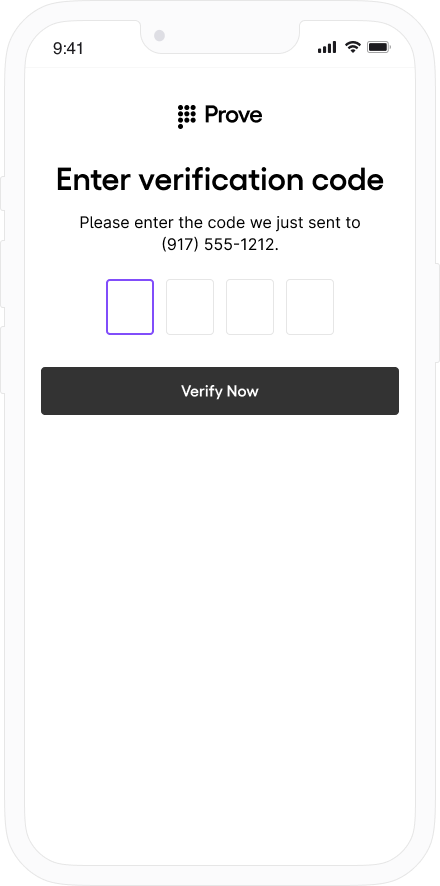
{
  "phoneNumber": "2001004017",
  "success": "false"
}