Documentation Index
Fetch the complete documentation index at: https://developer.prove.com/llms.txt
Use this file to discover all available pages before exploring further.
Possession requires both a client-side SDK and these platform APIs: Prerequisites
- Access token — Obtain a bearer token using Prove OAuth (Authentication). Use the same token for
POST /v3/unify, POST /v3/unify-status, and POST /v3/unify-bind.
- Server — Use a Prove server SDK or call those endpoints directly. Use the reference pages for full request bodies, optional fields, and responses.
- Client SDK — Install the iOS SDK for possession checks and the Prove Key.
Implementation steps
You must integrate the client-side SDK for possession checks and the Prove Key.
Determine Type of Flow
When using the iOS SDK, set mobile as the flowType for the Start() function on the server.
Initialize the Flow
Mobile Auth in the United States doesn’t require a phone number, but all other countries do.
POST /v3/unify for all request fields, optional parameters (for example finalTargetURL, deviceId, allowOTPRetry), and the full response.For OTP retries (allowOTPRetry), implement the client SDK behavior in the Authenticate step.
// Send the Unify request.
rspUnify, err := client.V3.V3UnifyRequest(ctx, &components.V3UnifyRequest{
  PhoneNumber:    "2001004014",
  PossessionType: "mobile",
  ClientRequestID: provesdkservergo.String("client-abc-123"),
  AllowOTPRetry: true,
})
if err != nil {
  t.Fatal(err)
}
authToken to the client for Authenticate(). Persist correlationId for UnifyStatus(). See POST /v3/unify for all response fields, JWT behavior, and session timing.Authenticate
Once you have the authToken, build the authenticator for both the mobile and desktop flows.Implement OTP or Instant Link - not both.
// Object implementing ProveAuthFinishStep protocols
let finishStep = FinishAuthStep()

// Objects implementing OtpStartStep/OtpFinishStep protocols
let otpStartStep = MobileOtpStartStep()
let otpFinishStep = MobileOtpFinishStep()

let proveAuthSdk: ProveAuth
proveAuthSdk = ProveAuth.builder(authFinish: finishStep)
  .withOtpFallback(otpStart: otpStartStep, otpFinish: otpFinishStep)
  .build()
proveAuthSdk = ProveAuth.builder(authFinish: finishStep)
  .withMobileAuthTestMode() // Test mode flag
  .build()
// authToken retrieved from your server via StartAuthRequest
proveAuthSdk.authenticate(authToken) { error in
  DispatchQueue.main.async {
    self.messages.finalResultMessage = "ProveAuth.authenticate returned error: \(error.localizedDescription)"
    print(self.messages.finalResultMessage)
  }
}
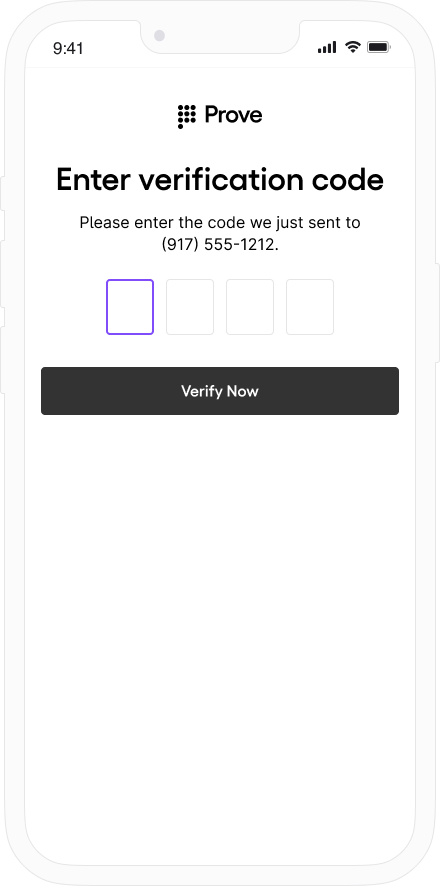
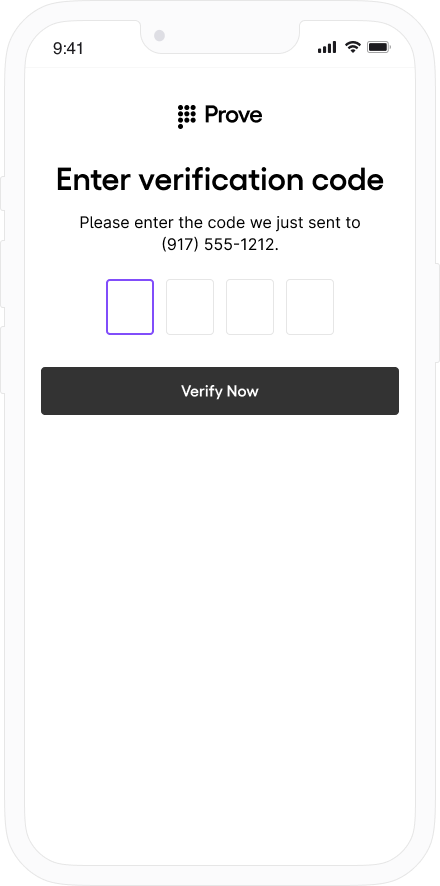
OtpStartStep and OtpFinishStep so the SDK can send the code, collect the PIN, and optionally support resend, OTP retry, or phone-number change.Prerequisites
- After Prove sends the SMS, the customer has about two minutes to enter the OTP before the session times out.
- When building the authenticator, call
withOtpFallback(otpStart: otpStartStep, otpFinish: otpFinishStep) and implement both OtpStartStep and OtpFinishStep. The Prove client SDK orchestrates when each step runs—implement the protocols, but do not duplicate that orchestration in app code (see Invalid OTP and step orchestration below).
Invalid OTP and step orchestrationWhen the customer enters an invalid OTP, the Prove client SDK detects it (for example, a reported error such as code 10001 with a message that the PIN does not match). You may also see flow activity related to AuthFinishStep (the handler you pass to ProveAuth.builder(authFinish:)) that looks like an unexpected redirect.This behavior is expected. Do not add your own follow-up call to OtpFinishStep to pass the validation error in otpError. The SDK invokes OtpFinishStep.execute(otpError:callback:) when a retry or error UI is needed.Your app should implement the required step protocols, but the Prove client SDK orchestrates when each step runs. Do not duplicate that orchestration in application code.
Implement start and finish for your use case
Open the tab that matches how the phone number is collected and which OTP options you need. Default
Prompt for Phone Number
Resend
Retry OTP
Phone Number Change
Use this path when the server already has the phone number (for example from POST /v3/start or your server Start wrapper) and the client must not prompt for it again.Call callback.onSuccess(input: nil) so the SDK knows the customer agreed to receive the SMS.class OtpStartStepNoPrompt: OtpStartStep {
@ObservedObject var sheetObservable: SheetObservable
var callback: OtpStartStepCallback?
init(sheetObservable: SheetObservable) {
self.sheetObservable = sheetObservable
}
// Implement this method to handle phone number collection for SMS OTP,
// or to obtain user confirmation for initiating an SMS message.
func execute(
phoneNumberNeeded: Bool, phoneValidationError: ProveAuthError?, callback: OtpStartStepCallback
) {
self.callback = callback
// Since no phone number is needed, don't prompt the user.
callback.onSuccess(input: nil)
}
}
callback.onError() if something prevents sending the SMS (for example the customer cancels or leaves the flow with the back button).In the finish step, return the OTP the customer entered through your OtpFinishStep implementation, as in the snippet below.class OtpFinishStepNoPrompt: OtpFinishStep {
@ObservedObject var sheetObservable: SheetObservable
var callback: OtpFinishStepCallback?
init(sheetObservable: SheetObservable) {
self.sheetObservable = sheetObservable
}
// Implement this method to collect the OTP value delivered via SMS.
func execute(otpError: ProveAuthError?, callback: OtpFinishStepCallback) {
self.callback = callback
// Handle the OTP validation error if present.
// Signal to UI components to display OtpFinishView
DispatchQueue.main.async {
if case .otpValidationError = otpError {
print("found otpError: \(String(describing: otpError?.localizedDescription))")
// Signal to your UI components that the last provided OTP is invalid
self.sheetObservable.isOtpValidationError = true
} else {
self.sheetObservable.isOtpValidationError = false
}
self.sheetObservable.isOtpFinishActive = true
}
}
// Provide the collected OTP value to the SDK for validation.
func handleOtp(_ otp: String) {
guard let callback = self.callback else {
print("Error: OtpFinishStepCallback is not set ")
return
}
let otpFinishInput = OtpFinishInput(otp: otp)
callback.onSuccess(input: otpFinishInput)
}
// Notify the SDK of any issues encountered while obtaining the OTP value or if the user cancels the OTP flow.
func handleOtpFinishError() {
guard let callback = self.callback else {
print("Error: OtpFinishStepCallback is not set ")
return
}
callback.onError()
}
}
Use this path when the iOS app collects the phone number in the client and you do not need SMS resend, dedicated OTP retry handling beyond defaults, or phone-number change. For those capabilities, use Resend, Retry OTP, or Phone Number Change.In the start step, call callback.onSuccess(input: otpStartInput) with the collected number.class OtpStartStepWithPrompt: OtpStartStep {
@ObservedObject var sheetObservable: SheetObservable
var callback: OtpStartStepCallback?
init(sheetObservable: SheetObservable) {
self.sheetObservable = sheetObservable
}
func execute(
phoneNumberNeeded: Bool, phoneValidationError: ProveAuthError?, callback: OtpStartStepCallback
) {
self.callback = callback
if !phoneNumberNeeded {
// If no phone number is needed, then don't prompt the user.
callback.onSuccess(input: nil)
} else {
DispatchQueue.main.async {
// If a phone number validation error is detected, ensure it is handled to provide feedback to the user.
if case .phoneNumberValidationError = phoneValidationError {
print(
"found phoneValidationError: \(String(describing: phoneValidationError?.localizedDescription))"
)
// Update UI components to display OtpStartView with the phone number validation error.
self.sheetObservable.isPhoneValidationError = true
} else {
self.sheetObservable.isPhoneValidationError = false
}
// Update UI components to display OtpStartView if a phone number is needed.
self.sheetObservable.isOtpStartActive = true
}
}
}
// Return collected phone number to the SDK
func handlePhoneNumber(phoneNumber: String) {
guard let callback = self.callback else {
print("Error: OtpStartStepCallback is not set ")
return
}
let otpStartInput = OtpStartInput(phoneNumber: phoneNumber)
// This is how you pass collected phone number to SDK
callback.onSuccess(input: otpStartInput)
}
// Communicate any issues encountered while trying to obtain the phone number to the SDK.
// Error should be reported if the customer explicitly cancels the SMS OTP transaction
// or presses the back button to exit out the SMS OTP start step screen.
func handleOtpStartError() {
guard let callback = self.callback else {
print("Error: OtpStartStepCallback is not set ")
return
}
callback.onError()
}
}
class OtpFinishStepNoPrompt: OtpFinishStep {
    @ObservedObject var sheetObservable: SheetObservable
    var callback: OtpFinishStepCallback?

    init(sheetObservable: SheetObservable) {
        self.sheetObservable = sheetObservable
    }

    // Implement this method to collect the OTP value delivered via SMS.
    func execute(otpError: ProveAuthError?, callback: OtpFinishStepCallback) {
        self.callback = callback
        // Handle the OTP validation error if present.
        // Signal to UI components to display OtpFinishView
        DispatchQueue.main.async {
            if case .otpValidationError = otpError {
                print("found otpError: \(String(describing: otpError?.localizedDescription))")
                // Signal to your UI components that the last provided OTP is invalid
                self.sheetObservable.isOtpValidationError = true
            } else {
                self.sheetObservable.isOtpValidationError = false
            }
            self.sheetObservable.isOtpFinishActive = true
        }
    }

    // Provide the collected OTP value to the SDK for validation.
    func handleOtp(_ otp: String) {
        guard let callback = self.callback else {
            print("Error: OtpFinishStepCallback is not set ")
            return
        }

        let otpFinishInput = OtpFinishInput(otp: otp)
        callback.onSuccess(input: otpFinishInput)
    }

    // Notify the SDK of any issues encountered while obtaining the OTP value or if the user cancels the OTP flow.
    func handleOtpFinishError() {
        guard let callback = self.callback else {
            print("Error: OtpFinishStepCallback is not set ")
            return
        }

        callback.onError()
    }
}
To use the Resend/Retry/Phone Change features, install the iOS SDK version 6.5.1 or later.
class OtpStartStepWithPrompt: OtpStartStep {
    @ObservedObject var sheetObservable: SheetObservable
    var callback: OtpStartStepCallback?

    init(sheetObservable: SheetObservable) {
        self.sheetObservable = sheetObservable
    }

    func execute(
        phoneNumberNeeded: Bool, phoneValidationError: ProveAuthError?, callback: OtpStartStepCallback
    ) {
        self.callback = callback
        if !phoneNumberNeeded {
            // If no phone number is needed, then don't prompt the user.
            callback.onSuccess(input: nil)
        } else {
            DispatchQueue.main.async {
                // If a phone number validation error is detected, ensure it is handled to provide feedback to the user.
                if case .phoneNumberValidationError = phoneValidationError {
                    print(
                        "found phoneValidationError: \(String(describing: phoneValidationError?.localizedDescription))"
                    )
                    // Update UI components to display OtpStartView with the phone number validation error.
                    self.sheetObservable.isPhoneValidationError = true
                } else {
                    self.sheetObservable.isPhoneValidationError = false
                }
                // Update UI components to display OtpStartView if a phone number is needed.
                self.sheetObservable.isOtpStartActive = true
            }
        }
    }

    // Return collected phone number to the SDK
    func handlePhoneNumber(phoneNumber: String) {
        guard let callback = self.callback else {
            print("Error: OtpStartStepCallback is not set ")
            return
        }

        let otpStartInput = OtpStartInput(phoneNumber: phoneNumber)
        // This is how you pass collected phone number to SDK
        callback.onSuccess(input: otpStartInput)
    }

    // Communicate any issues encountered while trying to obtain the phone number to the SDK.
    // Error should be reported if the customer explicitly cancels the SMS OTP transaction
    // or presses the back button to exit out the SMS OTP start step screen.
    func handleOtpStartError() {
        guard let callback = self.callback else {
            print("Error: OtpStartStepCallback is not set ")
            return
        }
        callback.onError()
    }
}
class OtpFinishStepMultipleResend: OtpFinishStep {
@ObservedObject var sheetObservable: SheetObservable
var callback: OtpFinishStepCallback?
init(sheetObservable: SheetObservable) {
self.sheetObservable = sheetObservable
}
// Implement this method to collect the OTP value delivered in the SMS message.
func execute(otpError: ProveAuthError?, callback: OtpFinishStepCallback) {
self.callback = callback
// Handle the OTP validation error if present.
// Update your UI to display the OtpFinishView
DispatchQueue.main.async {
if case .otpValidationError = otpError {
print("found otpError: \(String(describing: otpError?.localizedDescription))")
// Update your UI to indicate that the provided OTP is invalid
self.sheetObservable.isOtpValidationError = true
} else {
self.sheetObservable.isOtpValidationError = false
}
self.sheetObservable.isOtpFinishActive = true
}
}
// Return the OTP value to the SDK
func handleOtp(_ otp: String) {
guard let callback = self.callback else {
print("Error: OtpFinishStepCallback is not set ")
return
}
let otpFinishInput = OtpFinishInput(otp: otp)
callback.onSuccess(input: otpFinishInput)
}
// Communicate to the SDK any issues when host app trys to obtain the OTP value
// or when users cancel the OTP flow
func handleOtpFinishError() {
guard let callback = self.callback else {
print("Error: OtpFinishStepCallback is not set ")
return
}
callback.onError()
}
// Call this method to request a new OTP code for the same mobile number.
func sendNewOtp() {
guard let callback = self.callback else {
print("Error: OtpFinishStepCallback is not set ")
return
}
callback.onOtpResend()
}
}
To use the Resend/Retry/Phone Change features, install the iOS SDK version 6.5.1 or later.
allowOTPRetry=true on POST /v3/start (or your equivalent Start request).Implement the start step—no extra client changes beyond your normal prompt path:class OtpStartStepWithPrompt: OtpStartStep {
@ObservedObject var sheetObservable: SheetObservable
var callback: OtpStartStepCallback?
init(sheetObservable: SheetObservable) {
self.sheetObservable = sheetObservable
}
func execute(
phoneNumberNeeded: Bool, phoneValidationError: ProveAuthError?, callback: OtpStartStepCallback
) {
self.callback = callback
if !phoneNumberNeeded {
// If no phone number is needed, then don't prompt the user.
callback.onSuccess(input: nil)
} else {
DispatchQueue.main.async {
// If a phone number validation error is detected, ensure it is handled to provide feedback to the user.
if case .phoneNumberValidationError = phoneValidationError {
print(
"found phoneValidationError: \(String(describing: phoneValidationError?.localizedDescription))"
)
// Update UI components to display OtpStartView with the phone number validation error.
self.sheetObservable.isPhoneValidationError = true
} else {
self.sheetObservable.isPhoneValidationError = false
}
// Update UI components to display OtpStartView if a phone number is needed.
self.sheetObservable.isOtpStartActive = true
}
}
}
// Return collected phone number to the SDK
func handlePhoneNumber(phoneNumber: String) {
guard let callback = self.callback else {
print("Error: OtpStartStepCallback is not set ")
return
}
let otpStartInput = OtpStartInput(phoneNumber: phoneNumber)
// This is how you pass collected phone number to SDK
callback.onSuccess(input: otpStartInput)
}
// Communicate any issues encountered while trying to obtain the phone number to the SDK.
// Error should be reported if the customer explicitly cancels the SMS OTP transaction
// or presses the back button to exit out the SMS OTP start step screen.
func handleOtpStartError() {
guard let callback = self.callback else {
print("Error: OtpStartStepCallback is not set ")
return
}
callback.onError()
}
}
AuthFinish runs.class OtpFinishStepNoPrompt: OtpFinishStep {
@ObservedObject var sheetObservable: SheetObservable
var callback: OtpFinishStepCallback?
init(sheetObservable: SheetObservable) {
self.sheetObservable = sheetObservable
}
// Implement this method to collect the OTP value delivered via SMS.
func execute(otpError: ProveAuthError?, callback: OtpFinishStepCallback) {
self.callback = callback
// Handle the OTP validation error if present.
// Signal to UI components to display OtpFinishView
DispatchQueue.main.async {
if case .otpValidationError = otpError {
print("found otpError: \(String(describing: otpError?.localizedDescription))")
// Signal to your UI components that the last provided OTP is invalid
self.sheetObservable.isOtpValidationError = true
} else {
self.sheetObservable.isOtpValidationError = false
}
self.sheetObservable.isOtpFinishActive = true
}
}
// Provide the collected OTP value to the SDK for validation.
func handleOtp(_ otp: String) {
guard let callback = self.callback else {
print("Error: OtpFinishStepCallback is not set ")
return
}
let otpFinishInput = OtpFinishInput(otp: otp)
callback.onSuccess(input: otpFinishInput)
}
// Notify the SDK of any issues encountered while obtaining the OTP value or if the user cancels the OTP flow.
func handleOtpFinishError() {
guard let callback = self.callback else {
print("Error: OtpFinishStepCallback is not set ")
return
}
callback.onError()
}
}
To use the Resend/Retry/Phone Change features, install the iOS SDK version 6.5.1 or later.
Manual Request RequiredTo enable phone number change capabilities on your credentials, contact your Prove representative.
class OtpStartStepWithPrompt: OtpStartStep {
    @ObservedObject var sheetObservable: SheetObservable
    var callback: OtpStartStepCallback?

    init(sheetObservable: SheetObservable) {
        self.sheetObservable = sheetObservable
    }

    func execute(
        phoneNumberNeeded: Bool, phoneValidationError: ProveAuthError?, callback: OtpStartStepCallback
    ) {
        self.callback = callback
        if !phoneNumberNeeded {
            // If no phone number is needed, then don't prompt the user.
            callback.onSuccess(input: nil)
        } else {
            DispatchQueue.main.async {
                // If a phone number validation error is detected, ensure it is handled to provide feedback to the user.
                if case .phoneNumberValidationError = phoneValidationError {
                    print(
                        "found phoneValidationError: \(String(describing: phoneValidationError?.localizedDescription))"
                    )
                    // Update UI components to display OtpStartView with the phone number validation error.
                    self.sheetObservable.isPhoneValidationError = true
                } else {
                    self.sheetObservable.isPhoneValidationError = false
                }
                // Update UI components to display OtpStartView if a phone number is needed.
                self.sheetObservable.isOtpStartActive = true
            }
        }
    }

    // Return collected phone number to the SDK
    func handlePhoneNumber(phoneNumber: String) {
        guard let callback = self.callback else {
            print("Error: OtpStartStepCallback is not set ")
            return
        }

        let otpStartInput = OtpStartInput(phoneNumber: phoneNumber)
        // This is how you pass collected phone number to SDK
        callback.onSuccess(input: otpStartInput)
    }

    // Communicate any issues encountered while trying to obtain the phone number to the SDK.
    // Error should be reported if the customer explicitly cancels the SMS OTP transaction
    // or presses the back button to exit out the SMS OTP start step screen.
    func handleOtpStartError() {
        guard let callback = self.callback else {
            print("Error: OtpStartStepCallback is not set ")
            return
        }
        callback.onError()
    }
}
class OtpFinishStepWithPhoneChange: OtpFinishStep {
    @ObservedObject var sheetObservable: SheetObservable
    var callback: OtpFinishStepCallback?

    init(sheetObservable: SheetObservable) {
        self.sheetObservable = sheetObservable
    }

    // Implement this method to collect the OTP value delivered via SMS.
    func execute(otpError: ProveAuthError?, callback: OtpFinishStepCallback) {
        self.callback = callback
        // Handle the OTP validation error if present.
        // Update your UI to display the OTP finish view.
        DispatchQueue.main.async {
            if case .otpValidationError = otpError {
                print("found otpError: \(String(describing: otpError?.localizedDescription))")
                // Update your UI to indicate that the provided OTP is invalid.
                self.sheetObservable.isOtpValidationError = true
            } else {
                self.sheetObservable.isOtpValidationError = false
            }
            self.sheetObservable.isOtpFinishActive = true
        }
    }

    // Return the collected OTP value to the SDK.
    func handleOtp(_ otp: String) {
        guard let callback = self.callback else {
            print("Error: OtpFinishStepCallback is not set ")
            return
        }

        let otpFinishInput = OtpFinishInput(otp: otp)
        callback.onSuccess(input: otpFinishInput)
    }

    // When callback.onMobileNumberChange() is evoked, OtpStartStep will be re-initiated
    // so that end-users can enter a different phone number via OtpStartStep.
    func handleMobileNumberChange() {
        guard let callback = self.callback else {
            print("Error: OtpFinishStepCallback is not set")
            return
        }
        callback.onMobileNumberChange()
    }
}
Verify the integration
In Sandbox, walk each shipped path (default, prompt, resend, retry if enabled, phone change if enabled). Confirm SMS delivery, OTP entry within the timeout, and that you never manually chain OtpFinishStep on top of the SDK’s invalid-OTP handling—the SDK should remain the single orchestrator for retries and errors.
Instant Link for iOS is an add-on feature. To enable, contact your Prove representative.
Prerequisites
- Instant Link is enabled for your project (contact your Prove representative if needed).
- Universal Links (recommended) so the SMS redirect opens your app with the full URL string. See Supporting universal links in your app in the Apple documentation.
When building the authenticator, use withInstantLinkFallback(startStep: InstantLinkStartStep, retryStep: InstantLinkRetryStep?). Implement InstantLinkStartStep in every flow. Add InstantLinkRetryStep only if you support Resend or Phone Number Change (see those tabs). When the client supplies a number, pass it in InstantLinkStartInput (for example the phoneNumber field) to callback.onSuccess(...).Implement the Instant Link start step
Open the tab that matches how the phone number is collected and sent to Prove. Default
Prompt for Phone Number
Resend
Phone Number Change
Use this path when the server already has the phone number (for example from your initial Start call) and the client must not prompt again.Call callback.onSuccess(input: nil) so the SDK knows the customer agreed to receive the SMS.class InstantLinkStartStepNoPrompt: InstantLinkStartStep {
@ObservedObject var sheetObservable: SheetObservable
var callback: InstantLinkStartStepCallback?
init(sheetObservable: SheetObservable) {
self.sheetObservable = sheetObservable
}
// Implement this method to handle phone number collection for instant link,
// or to obtain user confirmation for initiating an instant link.
func execute(
phoneNumberNeeded: Bool,
phoneValidationError: ProveAuthError?,
callback: InstantLinkStartStepCallback
) {
self.callback = callback
// Since no phone number is needed, don't prompt the user.
callback.onSuccess(input: nil)
}
}
Use this path when the iOS app collects the number and you do not need resend or phone-number change.Call callback.onSuccess(input: instantLinkStartInput) with the collected number. Call callback.onError() if collection fails, the customer cancels, or they leave the Instant Link start UI (for example with the back button).class InstantLinkStartStepWithPrompt: InstantLinkStartStep {
@ObservedObject var sheetObservable: SheetObservable
var callback: InstantLinkStartStepCallback?
init(sheetObservable: SheetObservable) {
self.sheetObservable = sheetObservable
}
func execute(
phoneNumberNeeded: Bool,
phoneValidationError: ProveAuthError?,
callback: InstantLinkStartStepCallback
) {
self.callback = callback
if !phoneNumberNeeded {
// If no phone number is needed, then don't prompt the user.
callback.onSuccess(input: nil)
} else {
DispatchQueue.main.async {
// If a phone number validation error is detected, ensure it is handled to provide feedback to the user.
if case .phoneNumberValidationError = phoneValidationError {
print(
"found phoneValidationError: \(String(describing: phoneValidationError?.localizedDescription))"
)
// Update UI components to display InstantLinkStartView with the phone number validation error.
self.sheetObservable.isPhoneValidationError = true
} else {
self.sheetObservable.isPhoneValidationError = false
}
// Update UI components to display InstantLinkStartView if a phone number is needed.
self.sheetObservable.isInstantLinkStartActive = true
}
}
}
// Return collected phone number to the SDK.
func handlePhoneNumber(phoneNumber: String) {
guard let callback = self.callback else {
print("Error: InstantLinkStartStepCallback is not set ")
return
}
let instantLinkStartInput = InstantLinkStartInput(phoneNumber: phoneNumber)
callback.onSuccess(input: instantLinkStartInput)
}
// Communicate any issues encountered while trying to obtain the phone number to the SDK.
// Error should be reported if the user cancels the instant link flow or exits the start step screen.
func handleInstantLinkStartError() {
guard let callback = self.callback else {
print("Error: InstantLinkStartStepCallback is not set ")
return
}
callback.onError()
}
}
To use the Resend/Phone Number Change features, install the iOS SDK version 6.10.2 or later.
class InstantLinkStartStepWithPrompt: InstantLinkStartStep {
    @ObservedObject var sheetObservable: SheetObservable
    var callback: InstantLinkStartStepCallback?

    init(sheetObservable: SheetObservable) {
        self.sheetObservable = sheetObservable
    }

    func execute(
        phoneNumberNeeded: Bool,
        phoneValidationError: ProveAuthError?,
        callback: InstantLinkStartStepCallback
    ) {
        self.callback = callback
        if !phoneNumberNeeded {
            // If no phone number is needed, then don't prompt the user.
            callback.onSuccess(input: nil)
        } else {
            DispatchQueue.main.async {
                // If a phone number validation error is detected, ensure it is handled to provide feedback to the user.
                if case .phoneNumberValidationError = phoneValidationError {
                    print(
                        "found phoneValidationError: \(String(describing: phoneValidationError?.localizedDescription))"
                    )
                    // Update UI components to display InstantLinkStartView with the phone number validation error.
                    self.sheetObservable.isPhoneValidationError = true
                } else {
                    self.sheetObservable.isPhoneValidationError = false
                }
                // Update UI components to display InstantLinkStartView if a phone number is needed.
                self.sheetObservable.isInstantLinkStartActive = true
            }
        }
    }

    // Return collected phone number to the SDK.
    func handlePhoneNumber(phoneNumber: String) {
        guard let callback = self.callback else {
            print("Error: InstantLinkStartStepCallback is not set ")
            return
        }

        let instantLinkStartInput = InstantLinkStartInput(phoneNumber: phoneNumber)
        callback.onSuccess(input: instantLinkStartInput)
    }

    // Communicate any issues encountered while trying to obtain the phone number to the SDK.
    // Error should be reported if the user cancels the instant link flow or exits the start step screen.
    func handleInstantLinkStartError() {
        guard let callback = self.callback else {
            print("Error: InstantLinkStartStepCallback is not set ")
            return
        }
        callback.onError()
    }
}
InstantLinkRetryStep so the customer can request another SMS, for example:class InstantLinkRetryStepMultipleResend: InstantLinkRetryStep {
@ObservedObject var sheetObservable: SheetObservable
var callback: InstantLinkRetryStepCallback?
init(sheetObservable: SheetObservable) {
self.sheetObservable = sheetObservable
}
// Implement this method to present retry options: resend to the same phone number or cancel.
func execute(callback: InstantLinkRetryStepCallback) {
self.callback = callback
// Update your UI to display the InstantLinkRetryView (e.g. "Did you receive a text message?").
// User can confirm (close modal / finish) or request resend to the same phone number.
DispatchQueue.main.async {
self.sheetObservable.isInstantLinkRetryActive = true
}
}
// Call this method to request a new instant link to the same phone number.
func handleResend() {
guard let callback = self.callback else {
print("Error: InstantLinkRetryStepCallback is not set ")
return
}
callback.onResend()
}
// Notify the SDK if the user cancels or if the app fails to handle the retry step.
func handleInstantLinkRetryError() {
guard let callback = self.callback else {
print("Error: InstantLinkRetryStepCallback is not set ")
return
}
callback.onError()
}
}
To use the Resend/Phone Number Change features, install the iOS SDK version 6.10.2 or later.
Manual Request RequiredTo enable phone number change capabilities on your credentials, contact your Prove representative.
class InstantLinkStartStepWithPrompt: InstantLinkStartStep {
    @ObservedObject var sheetObservable: SheetObservable
    var callback: InstantLinkStartStepCallback?

    init(sheetObservable: SheetObservable) {
        self.sheetObservable = sheetObservable
    }

    func execute(
        phoneNumberNeeded: Bool,
        phoneValidationError: ProveAuthError?,
        callback: InstantLinkStartStepCallback
    ) {
        self.callback = callback
        if !phoneNumberNeeded {
            // If no phone number is needed, then don't prompt the user.
            callback.onSuccess(input: nil)
        } else {
            DispatchQueue.main.async {
                // If a phone number validation error is detected, ensure it is handled to provide feedback to the user.
                if case .phoneNumberValidationError = phoneValidationError {
                    print(
                        "found phoneValidationError: \(String(describing: phoneValidationError?.localizedDescription))"
                    )
                    // Update UI components to display InstantLinkStartView with the phone number validation error.
                    self.sheetObservable.isPhoneValidationError = true
                } else {
                    self.sheetObservable.isPhoneValidationError = false
                }
                // Update UI components to display InstantLinkStartView if a phone number is needed.
                self.sheetObservable.isInstantLinkStartActive = true
            }
        }
    }

    // Return collected phone number to the SDK.
    func handlePhoneNumber(phoneNumber: String) {
        guard let callback = self.callback else {
            print("Error: InstantLinkStartStepCallback is not set ")
            return
        }

        let instantLinkStartInput = InstantLinkStartInput(phoneNumber: phoneNumber)
        callback.onSuccess(input: instantLinkStartInput)
    }

    // Communicate any issues encountered while trying to obtain the phone number to the SDK.
    // Error should be reported if the user cancels the instant link flow or exits the start step screen.
    func handleInstantLinkStartError() {
        guard let callback = self.callback else {
            print("Error: InstantLinkStartStepCallback is not set ")
            return
        }
        callback.onError()
    }
}
InstantLinkRetryStep to collect a new number, for example:class InstantLinkRetryStepPhoneChange: InstantLinkRetryStep {
@ObservedObject var sheetObservable: SheetObservable
var callback: InstantLinkRetryStepCallback?
init(sheetObservable: SheetObservable) {
self.sheetObservable = sheetObservable
}
// Implement this method to present retry options: resend, change phone number, or cancel.
func execute(callback: InstantLinkRetryStepCallback) {
self.callback = callback
// Update your UI to display the InstantLinkRetryView (e.g. "Did you receive a text message?").
// User can confirm (close modal / finish), request resend, or request phone number change.
DispatchQueue.main.async {
self.sheetObservable.isInstantLinkRetryActive = true
}
}
// Call this method to request resend to the same phone number.
func handleResend() {
guard let callback = self.callback else {
print("Error: InstantLinkRetryStepCallback is not set ")
return
}
callback.onResend()
}
// When this is invoked, InstantLinkStartStep will be re-initiated so that the user
// can enter a different phone number.
func handleMobileNumberChange() {
guard let callback = self.callback else {
print("Error: InstantLinkRetryStepCallback is not set ")
return
}
callback.onMobileNumberChange()
}
// Notify the SDK if the user cancels or if the app fails to handle the retry step.
func handleInstantLinkRetryError() {
guard let callback = self.callback else {
print("Error: InstantLinkRetryStepCallback is not set ")
return
}
callback.onError()
}
}
Handle the redirect and resume the session
After you implement the start step above and the user finishes the web step outside your app, Prove redirects to the finalTargetUrl from your server Start call. Your Universal Link handling must deliver that URL into your app so you can pass the full string—including query parameters—into finishInstantLink(redirectUrl:).For how finalTargetUrl fits into server-side Start with Mobile Auth and Instant Link fallback, see Prove Pre-Fill implementation guide.Call finishInstantLink from the entry point that receives the opened URL, for example application(_:open:options:) or application(_:continue:restorationHandler:)./// Finishes the Instant Link authentication flow using the redirect URL from the deep link.
/// This is the URL to which the user is redirected after tapping the Instant Link in SMS.
finishInstantLink(redirectUrl: redirectUrl) { error in
// Handle errors due to invalid format of redirectUrl here
}
finalTargetUrl plus parameters the SDK needs. Example: if Start used https://yourDeepLinkUrl.com, the link might look like https://yourDeepLinkUrl.com?asc=true&authId=some-uuid-string.| Parameter | Meaning |
|---|
asc | "true" or "false": whether the server considers the auth session complete. |
authId | UUID for the session; the SDK uses it to match the redirect to the in-progress client session. |
finishInstantLink completion and does not continue the flow.Verify: In Sandbox, complete a flow where the SMS opens your app with the full URL; finishInstantLink should run and the session should resume without an error from a well-formed redirect. Verify Mobile Number
In the AuthFinishStep, specify a function to call once the possession checks complete on the mobile phone. This endpoint on your back end server calls the UnifyStatus() function to validate the phone number. The AuthFinishStep then completes.rspUnifyStatus, err := client.V3.V3UnifyStatusRequest(context.TODO(), &components.V3UnifyStatusRequest{
CorrelationID: rspUnify.V3UnifyResponse.CorrelationID,
})
if err != nil {
return fmt.Errorf("error on UnifyStatus(): %w", err)
}
POST /v3/unify-status for the full response schema. Interpret evaluation using the Global Fraud Policy.If you’re using
Content Security Policy headers, ensure you allow
connect-src for
wss://*.prove-auth.proveapis.com,
wss://device.uat.proveapis.com, and
wss://device.proveapis.com as required for your environment.
Prove Key validity: Prove deactivates the key on our servers after an extended period of inactivity (each successful authentication resets that period). On iOS, the Prove Key remains on the device after uninstall and reinstall. Key Persistence is available for the Web SDK only—not the native Android SDK. Pass rebind on /v3/unify to force a full possession check when needed. See Prove Key validity and expiration. If you send a different phone number to /unify than the one registered to the Prove key, success=false returns when calling /unify-status. This is because the Prove Key is bound to a different number. Run the flow again with rebind=true in the /unify endpoint. This forces a full possession check and then, if valid, rebinds the Prove Key to the new phone number.
Sandbox Testing
Prerequisites
Test users list
Short-term test users
Use this test user when performing initial testing with cURL or Postman. This test user skips the client-side SDK authentication to walk you through the sequence of API calls.
North America
International
| Phone Number | First Name | Last Name |
|---|
| 2001004018 | Barbaraanne | Canet |
| Phone Number | First Name | Last Name |
|---|
| +2001004029 | Janos | Martina |
Unified Auth test users
Follow the Testing Steps for expected behavior per step. These users allow you to test “Prove Possession” and “Customer-Supplied Possession with Force Bind” flows.
North America
International
| Phone Number | First Name | Last Name |
|---|
| 2001004014 | Lorant | Nerger |
| 2001004015 | Laney | Dyball |
| Phone Number | First Name | Last Name |
|---|
| +2001004025 | Bertie | Fremont |
| +2001004026 | Bonnie | Sidon |
Mobile Auth test users
Follow the Testing Steps for expected behavior per step. These users allow you to test “Prove Possession” and “Prove Passive Authentication with Customer-Supplied Possession Fallback” flows.
North America
International
| Phone Number | First Name | Last Name |
|---|
| 2001004016 | Inge | Galier |
| 2001004017 | Jesse | Mashro |
| 2001004041 | Penny | Jowers |
| Phone Number | First Name | Last Name |
|---|
| +2001004027 | Allissa | Zoren |
| +2001004028 | Wendy | Strover |
| +2001004043 | Amii | Porritt |
Testing steps
Now that you’ve done client-side, server-side, and CX implementation, test using the test users.
Lorant
Laney
Inge
Penny
Bertie
Bonnie
Allissa
Wendy
Amii
Fail
Follow these steps to test the Prove Unified Authentication flow with Lorant Nerger on mobile. This user passes Prove’s possession and return success=true in the /unify-status response.Prompt Customer
Start the onboarding flow on the initial screen and enter the phone number for Lorant Nerger.
Initiate Start Request
Your front end sends the phone number and possession type to the back end. Your back end sends the phone number to the /unify endpoint. The response provides an auth token, correlation ID, and success=pending.
Send Auth Token to the Front End
Your back end sends the authToken to the front end. The front end runs OTP handling. Enter 1234 to simulate a successful OTP. Verify Mobile Number
Once the front end finishes the possession check, the back end calls POST /v3/unify-status with the correlation ID to validate the phone number.
Expect success=true, proveId, deviceId, and phoneNumber in Sandbox. See POST /v3/unify-status for the full response.You have a successful flow and a Prove key for this phone number. Sending this user through again bypasses the possession check due to the Prove key. Send the user on through your authenticated flow. Follow these steps to test the Prove Unified Authentication flow with Laney Dyball on mobile. This user fails Prove’s possession and return success=false in the /unify-status response.Prompt Customer
Start the onboarding flow on the initial screen and enter the phone number for Laney Dyball.
Initiate Start Request
Your front end sends the phone number and possession type to the back end. Your back end sends the phone number to the /unify endpoint. The response provides an auth token, correlation ID, and success=pending.
Send Auth Token to the Front End
Your back end sends the authToken to the front end. The front end runs OTP handling. Enter 1111 to simulate an unsuccessful OTP. Verify Mobile Number
Once the front end finishes the possession check, the back end calls POST /v3/unify-status with the correlation ID to validate the phone number.
Expect success=false and phoneNumber. See POST /v3/unify-status.The test user failed. Send the user through your exception process. Use this procedure to test the Prove passive authentication with customer-supplied possession fallback flow with Inge Galier on mobile. This user passes Mobile Auth and returns success=true in the /unify-status response.Prompt Customer
Start the onboarding flow on the initial screen and enter the phone number for Inge Galier.
Initiate Start Request
Your front end sends the possession type to the back end. Your back end calls the /unify endpoint. The response provides an auth token, correlation ID, and success=pending.
Send Auth Token to the Front End
Your back end sends the authToken to the front end. The front end runs Mobile Auth.
Verify Mobile Number
Once the front end finishes the possession check, the back end calls POST /v3/unify-status with the correlation ID to validate the phone number.
Expect success=true, proveId, deviceId, and phoneNumber from Mobile Auth in Sandbox. See POST /v3/unify-status for the full response.You have a successful flow and a Prove key tied to this phone number. Sending this user through again bypasses the possession check due to the Prove key. Send the user on through your authenticated flow. If you are testing the reputation check flow by sending checkReputation=true in the /unify request, Penny fails the reputation check and returns success=false in the final response.
success=true in the /unify-status response.Prompt Customer
Start the onboarding flow on the initial screen and enter the phone number for Penny Jowers.
Initiate Start Request
Your front end sends the phone number and possession type to the back end. Your back end sends the phone number to the /unify endpoint. The response provides an auth token, correlation ID, and success=pending.
Send Auth Token to the Front End
Your back end sends the authToken to the front end. The front end attempts Mobile Auth, which fails. The SDK then falls back to OTP handling. Enter 1234 to simulate a successful OTP. Verify Mobile Number
Once the front end finishes the possession check, the back end calls POST /v3/unify-status with the correlation ID to validate the phone number.
Expect success=true, proveId, deviceId, and phoneNumber in Sandbox. See POST /v3/unify-status for the full response.You have a successful flow and a Prove key tied to this phone number. Sending this user through again bypasses the possession check due to the Prove key. Send the user on through your authenticated flow. Follow these steps to test the Prove Unified Authentication flow with Bertie Fremont on mobile. This user passes Prove’s possession and return success=true in the /unify-status response.Prompt Customer
Start the onboarding flow on the initial screen and enter the phone number for Bertie Fremont.
Initiate Start Request
Your front end sends the phone number and possession type to the back end. Your back end sends the phone number to the /unify endpoint. The response provides an auth token, correlation ID, and success=pending.
Send Auth Token to the Front End
Your back end sends the authToken to the front end. The front end runs OTP handling. Enter 1234 to simulate a successful OTP. Verify Mobile Number
Once the front end finishes the possession check, the back end calls POST /v3/unify-status with the correlation ID to validate the phone number.
Expect success=true, proveId, deviceId, and phoneNumber in Sandbox. See POST /v3/unify-status for the full response.You have a successful flow and a Prove key tied to this phone number. Send the user on through your authenticated flow. Follow these steps to test the Prove Unified Authentication flow with Bonnie Sidon on mobile. This user fails Prove’s possession and return success=false in the /unify-status response.Prompt Customer
Start the onboarding flow on the initial screen and enter the phone number for Bonnie Sidon.
Initiate Start Request
Your front end sends the phone number and possession type to the back end. Your back end sends the phone number to the /unify endpoint. The response provides an auth token, correlation ID, and success=pending.
Send Auth Token to the Front End
Your back end sends the authToken to the front end. The front end runs OTP handling. Enter 1111 to simulate an unsuccessful OTP. Verify Mobile Number
Once the front end finishes the possession check, the back end calls POST /v3/unify-status with the correlation ID to validate the phone number.
Expect success=false and phoneNumber. See POST /v3/unify-status.The test user failed. Send the user through your exception process. Follow these steps to test the Prove Unified Authentication flow with Allissa Zoren on mobile. This user passes Mobile Auth and returns success=true in the /unify-status response.Prompt Customer
Start the onboarding flow on the initial screen and enter the phone number for Allissa Zoren.
Initiate Start Request
Your front end sends the possession type to the back end. Your back end calls the /unify endpoint. The response provides an auth token, correlation ID, and success=pending.
Send Auth Token to the Front End
Your back end sends the authToken to the front end. The front end runs Mobile Auth.
Verify Mobile Number
Once the front end finishes the possession check, the back end calls POST /v3/unify-status with the correlation ID to validate the phone number.
Expect success=true, proveId, deviceId, and phoneNumber from Mobile Auth in Sandbox. See POST /v3/unify-status for the full response.You have a successful flow and a Prove key tied to this phone number. Sending this user through again bypasses the possession check due to the Prove key. Send the user on through your authenticated flow. Follow these steps to test the Prove Unified Authentication flow with Wendy Strover on mobile. This user fails Mobile Auth and return success=false in the /unify-status response.Prompt Customer
Start the onboarding flow on the initial screen and enter the phone number for Wendy Strover.
Initiate Start Request
Your front end sends the phone number and possession type to the back end. Your back end sends the phone number to the /unify endpoint. The response provides an auth token, correlation ID, and success=pending.
Send Auth Token to the Front End
Your back end sends the authToken to the front end. The front end fails Mobile Auth.
If you are testing the reputation check flow by sending checkReputation=true in the /unify request, Amii fails the reputation check and returns success=false in the final response.
success=true in the /unify-status response.Prompt Customer
Start the onboarding flow on the initial screen and enter the phone number for Amii Porritt.
Initiate Start Request
Your front end sends the phone number and possession type to the back end. Your back end sends the phone number to the /unify endpoint. The response provides an auth token, correlation ID, and success=pending.
Send Auth Token to the Front End
Your back end sends the authToken to the front end. The front end attempts Mobile Auth, which fails. The SDK falls back to OTP handling. Enter 1234 to simulate a successful OTP. Verify Mobile Number
Once the front end finishes the possession check, the back end calls POST /v3/unify-status with the correlation ID to validate the phone number.
Expect success=true, proveId, deviceId, and phoneNumber in Sandbox. See POST /v3/unify-status for the full response.You have a successful flow and a Prove key tied to this phone number. Sending this user through again bypasses the possession check due to the Prove key. Send the user on through your authenticated flow. Follow these steps to test the Prove Unified Authentication flow with Lorant, Jesse, Bertie, or Wendy. This introduces failures into the flow and return success=false at various points.Send Auth Token to the Front End
During the mobile flow, use 1111 to simulate a failed OTP.Once the front end finishes the possession check, the back end calls the /unify-status endpoint with the correlation ID to validate the phone number.The user then fails /unify-status.{
"phoneNumber": "2001004017",
"success": "false"
}